Open the photographs from a weekend away and pick a beginning, a middle and an ending. Start with the journey, set aside a few pages for the memorable places and finish with the one image that sums up the trip. Make this shortlist before opening a photo-book editor.
Decide what kind of book the pictures deserve
A square book gives you similar room for horizontal and vertical photographs. A landscape format gives wide views a bigger stage; a portrait one can suit a book of people or recipes. Explore cover, paper and binding choices at Shutterfly. If you want a panoramic image to sweep across two pages, compare the layflat Snapfish books with conventional binding. Decide on a format before fine-tuning the crops, since changing the page proportions can change what fits.
Check every spread before ordering
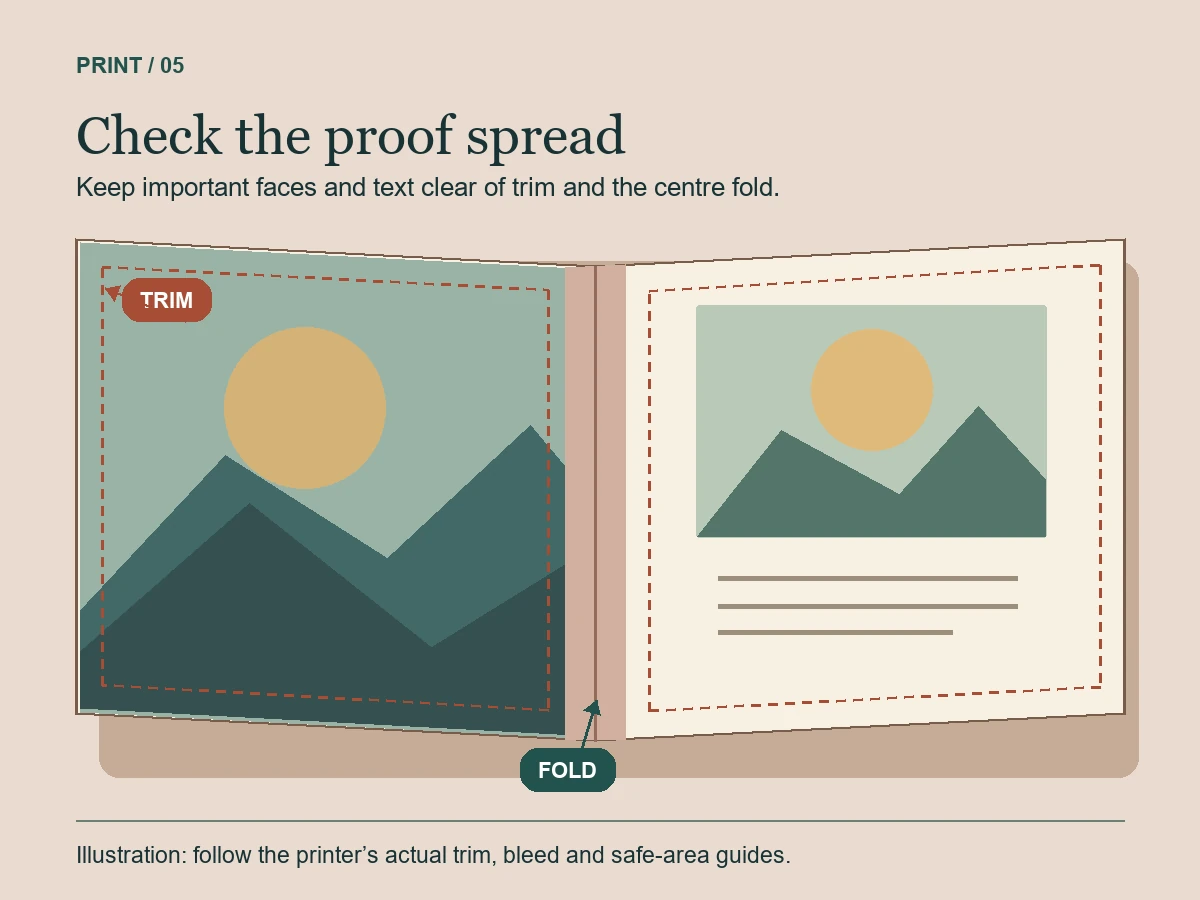
Upload the original images rather than compressed copies from messages and respond to any low-resolution warning. Keep faces and captions away from the edge and centre fold. In Mixbook's editor you can extend a background into the bleed area when you want the picture to cover the whole page. Keep important details within the safe area so trimming does not cut them off. Printique publishes page-count limits and cover bleed dimensions for its books, which differ depending on format and binding.
Read the book from the cover to the last page in its preview. Look for clipped heads, spelling errors, missing captions, blank pages and repeated pictures. Check the full cost including added pages, paper or cover upgrades and delivery, along with the estimated arrival if it is a gift. A handful of good pictures with a little space around them can make an album worth picking up years later.